
Transposing music: change the key during playback
What does transposing mean? Learn how to shift a recording into your key on YouTube or Spotify, without downloading or importing music files first.
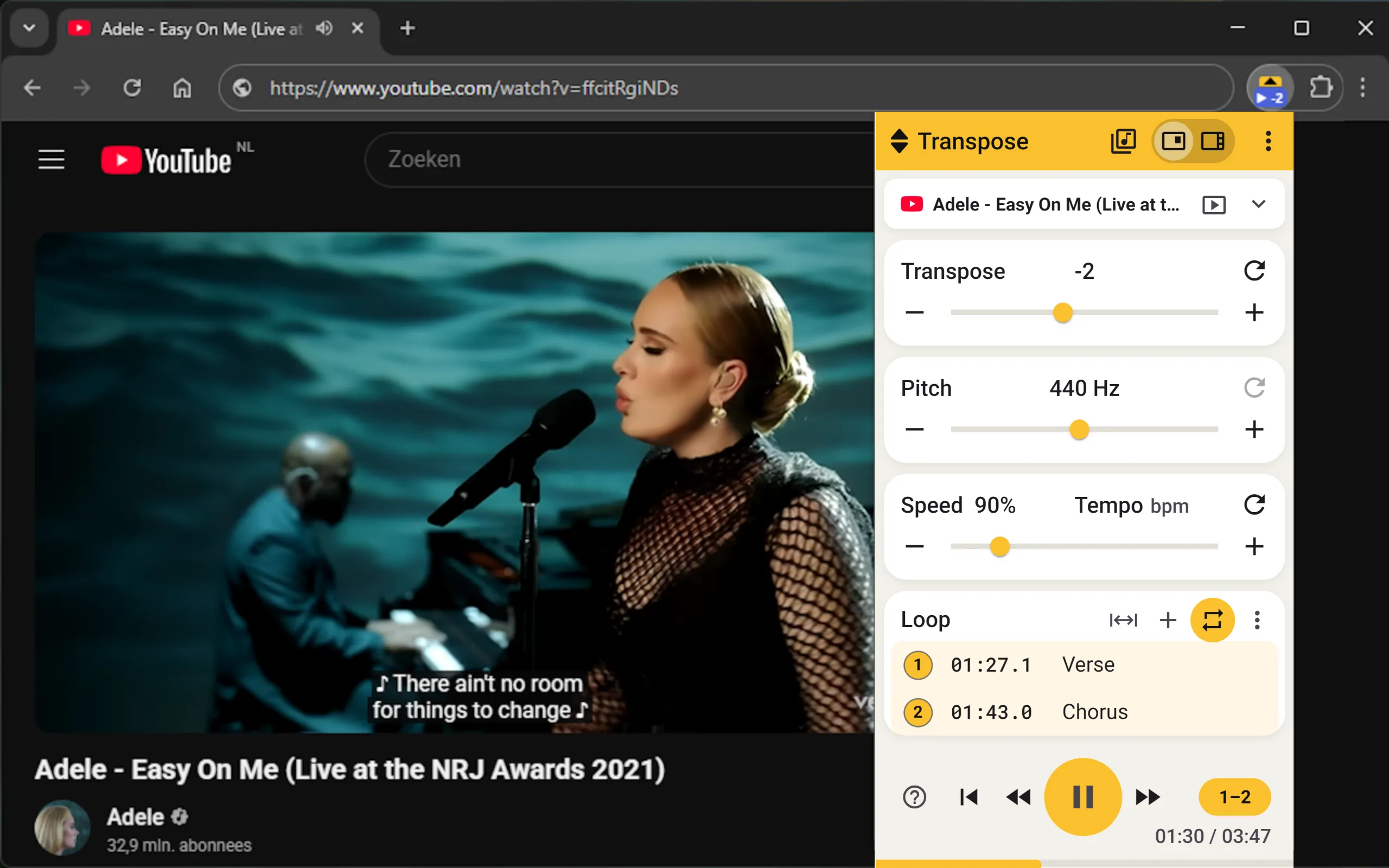
A song sits too high for your voice. You want to play along with a guitar recording tuned a semitone below your instrument. Or you want to practise with a backing track in another key. Transposing the recording lets you adapt the music to your practice session.
With Transpose, you do this during playback. Open the song on YouTube or in the Spotify web player, click the extension and choose how many semitones to shift up or down. You can sing or play along straight away.
What does transposing music mean?
Transposing means moving every note of a piece up or down by the same interval. The distances between notes stay the same: the melody and chord progression keep their shape, but sound in another key.
For example, C major shifted up two semitones becomes D major. The chord progression C–F–G becomes D–G–A. Shift C major down two semitones and you get B-flat major, with the chords B♭–E♭–F.
You can transpose a part by playing or writing different notes. You can also transpose a recording with a pitch shifter. That is what Transpose does: the audio sounds higher or lower while its tempo stays the same. Sheet music or chord text displayed on the website does not change with it.
Practise with the song you already have open
To work on an online recording in a DAW, you first need a suitable audio file. Then you open a project, import the file and set up pitch shifting or a loop. A practice app that works with imported files also needs you to add the music first.
Transpose skips that preparation. The music stays on the website where you are listening. You do not need to download or rip audio from YouTube or Spotify, upload a file or create a project. Once the extension is installed, the route is:
Open a song → click Transpose → choose your key → play along.
If you just want to hear whether a chorus suits your voice two semitones lower, you can try it while listening. You can slow down and repeat a fast riff in the same place. You stay with the recording, video and playback controls you were already using.
How to change the key on YouTube or Spotify
- Install Transpose in your browser.
- Open a song on YouTube or in Spotify Web Player and start playback.
- Click the Transpose icon in the browser toolbar. Allow access to the website if prompted.
- Set the number of semitones in Transpose. +2 moves the song two semitones up; −2 moves it two semitones down.
- Sing or play along. Adjust the value as you listen; reset returns the recording to its original pitch.

Transpose also works on many other music websites. For Spotify, use the web player in your browser. The Transpose reference guide explains the controls; see connection help if a page does not connect straight away.
Transposing for singers
Find a key that accommodates both the low and high passages. Try shifting the recording one semitone down, sing the chorus, then check the verse too. Adjust in small steps until you find a useful key.
Larger pitch shifts also change the timbre of the recorded voice. Formant in Studio lets you adjust that tone. See Formant for details.
Transposing for guitarists and other instrumentalists
Is a guitar recording tuned one semitone below your standard tuning? Set the recording to +1 to play along with the same fingerings without retuning your guitar.
A capo changes the pitch of your guitar; Transpose changes the pitch of the recording. Which approach helps depends on what you want to practise. You might move the recording into a key that suits open chords, or learn to play the same progression in several keys.
A recording that falls between semitones needs a finer adjustment. The Pitch feature in Studio provides that correction. It is a different task from transposing the whole recording by one or more semitones.
Slow down a riff and set a loop
Finding the right key is often just the start. Lower Speed to work out a fast passage while keeping your chosen pitch. Then place markers around the passage and select the range you want to repeat.
You can practise the same riff at your tempo and in your key, without finding the start again each time. See Speed and Loops, markers and timeline for the controls.
Is transposing music with Transpose free?
Yes. Pitch, speed and loops are free for every song, as often as you like, without an account.
Studio adds further tools, including Formant and saving practice settings. See Studio for how to use them.
In Side, Studio also analyses and displays the key, chords, tempo and beats in real time.