
Change Pitch Online: Shift Any Song Up or Down
Shift any song up or down by semitones directly in your browser. Works on YouTube, Spotify, SoundCloud & more. Free browser extension — no uploads needed.
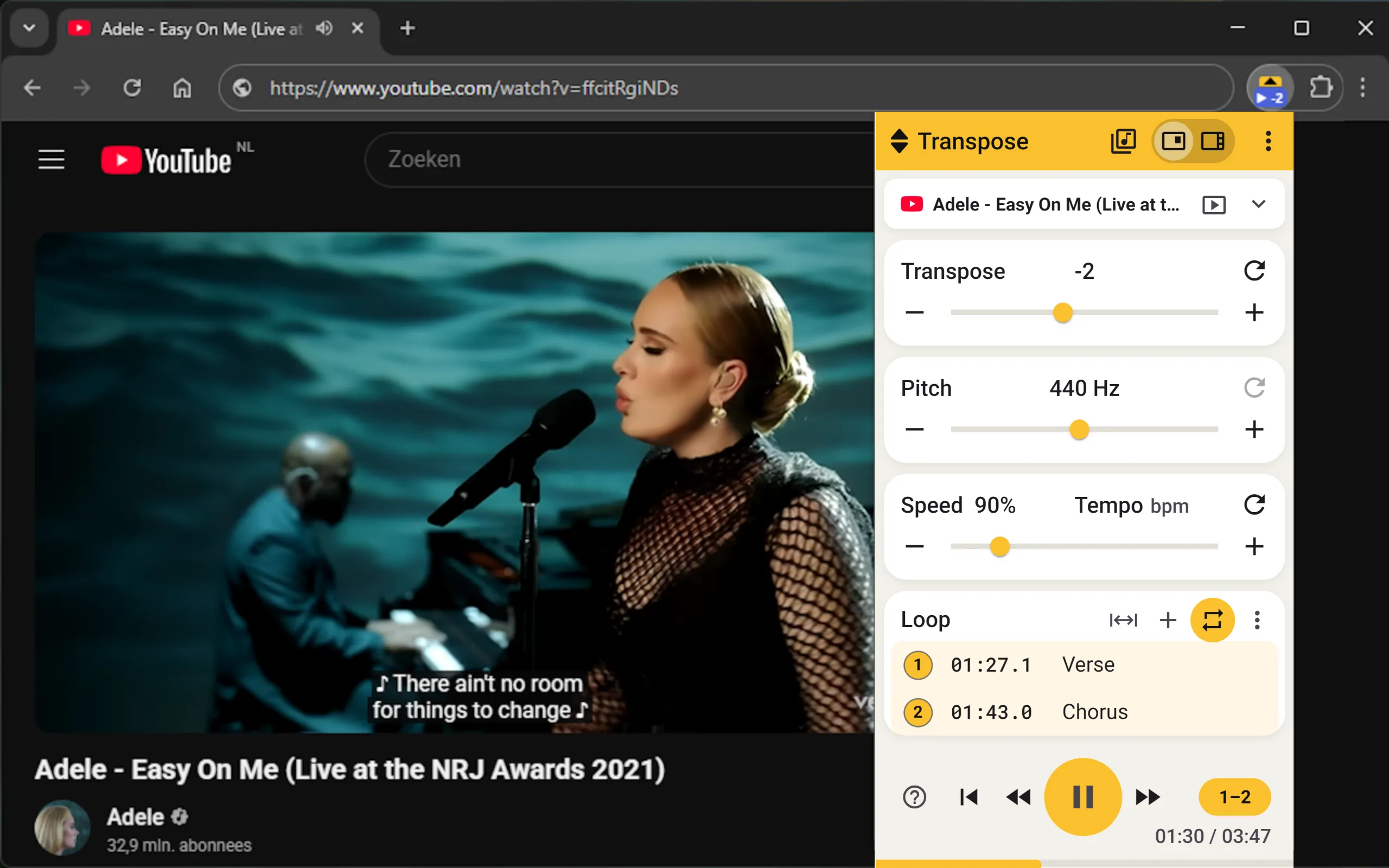
Change pitch online
Want to shift a song up or down without exporting audio files? With Transpose you can change pitch directly on YouTube, Spotify (web), and other platforms. No downloads. No uploads. Just play and shift.
Why use a pitch changer online
- Sing or play in your own key
- Practice songs across multiple keys
- Create fun voice effects
- No DAW or file editing required
How Transpose works
- Install the free Transpose extension (Chrome or Edge).
- Open YouTube, Spotify, or another supported platform.
- Use the Transpose control to shift in semitone steps.
- Combine with Speed and Loop for focused practice.
Tip: Studio adds formant control for more natural vocals, advanced looping, sequences, and saved presets.
Features
- Pitch shifting up to ±12 semitones
- Loop and slow down for difficult parts
- Formant control (Studio in Side) for natural voice
- Runs in the browser, no file uploads
Download Transpose
Install Transpose and start changing pitch online in seconds.
FAQ
Does it work on any song
Transpose works with playable audio on YouTube, the Spotify web player and many other music websites. Some pages need permission or Tab Audio.
Is it free
Pitch, speed and loops are free for all songs, without an account. Studio adds more practice tools and is included for three songs of your choice, without a subscription or expiry date. See Studio for choosing and replacing songs.
Do I need to upload files
No. Everything runs live in your browser on the site you are using.