
StudioSide
Vocal Reducer reduces vocals in real time, while the music plays. You hear adjustments immediately without waiting for the song to be separated.
Move the pointer over the card to reveal its extra buttons.
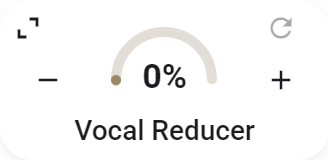
- Press and hold the value, then drag to change it.
- Reset returns Vocal Reducer to 0%.
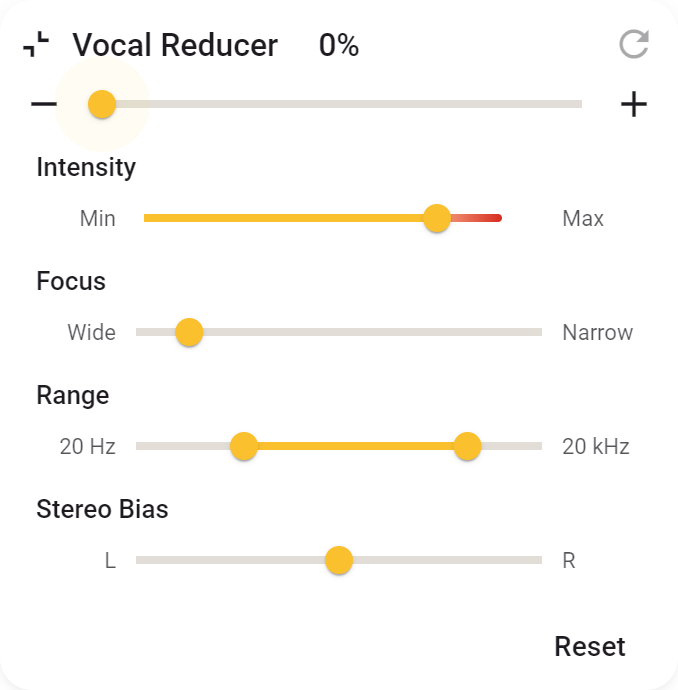
- Expand the card to set the frequency range, focus, strength, and stereo bias.
- With Mouse wheel control, you can change the value under the pointer.
- Reset returns the additional settings to their defaults.
Using it with Varispeed
In the current version, Vocal Reducer does not work while Varispeed is on. Turn Varispeed off to use Vocal Reducer again.
Recording and stereo image
The result depends on the recording and how the vocals are spread between left and right. Vocal Reducer works best with vocals in the centre of the stereo image: you hear them at roughly equal levels from both speakers.
Wide vocals, doubled vocal parts, reverb and echo are harder to reduce. Instruments in the centre may become quieter too. Adjust by ear; vocals will not disappear equally well from every recording.
Want better separation?
Use Stem Mix to separate vocals and instruments into individual parts. It generally gives better separation, but this is not real-time processing: the music needs to be processed first. Vocal Reducer is useful for singing along straight away; Stem Mix gives you more precise control over individual parts.