
StudioSide
Practice ramp generates clips from the selected clip. Choose tempo or transposition steps, set repetitions and review the preview.
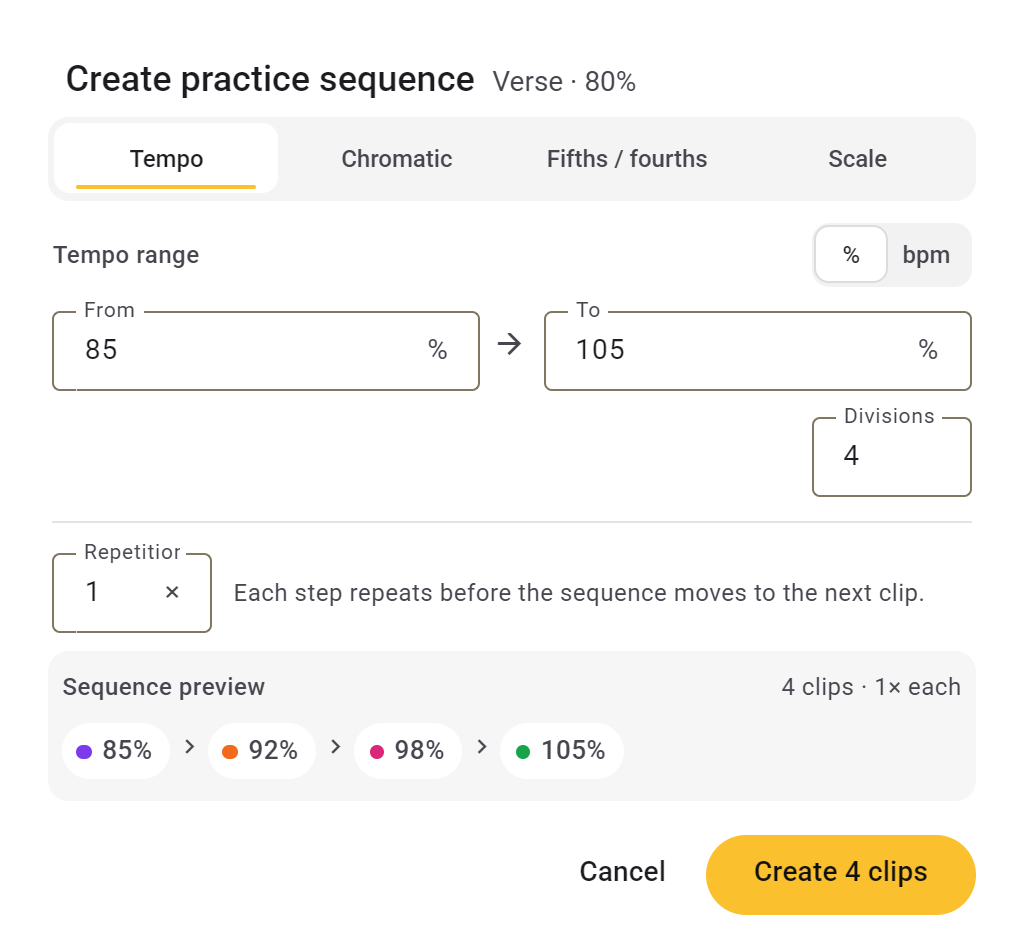
Build up speed in steps
- Expand the clip you want to use and choose Practice sequence in the toolbar.
- Choose Tempo, enter the starting and ending speed and choose the number of steps.
- Set the repetitions for each step. Check the preview and choose Create.
The new clips appear after your original clip. Each has a fixed speed; it does not accelerate gradually while playing.
Practise in other keys
Choose Chromatic for semitone steps, Circle for fifths or fourths, or Scale for a major or minor scale. Check the steps shown before creating them.
Other clip settings are copied. If count-in was enabled, only the first new clip counts in.