
What is Transpose Pro? Pro
An optional upgrade with a premium low-latency pitch shifter, formant control, vocal reducer, advanced looping & clips, side panel, and cloud save.
Change pitch and speed and loop difficult sections on YouTube, Spotify and other websites.
Trusted by over 1.5 million musicians, singers, and teachers worldwide
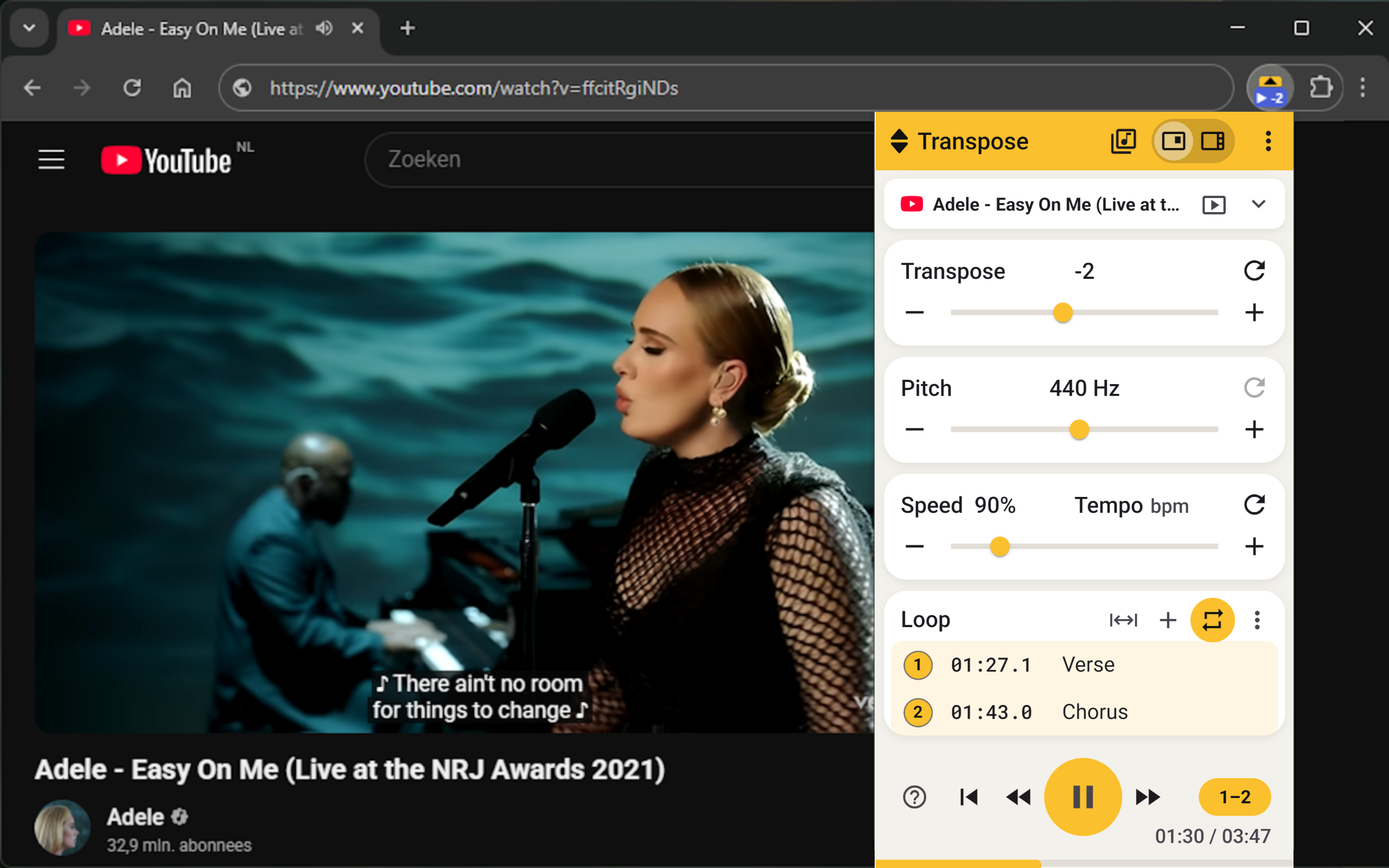
Directly in your browser · Free · No account needed
Change pitch without changing the speed.
Slow down to 25% or speed up to 400% — ideal for learning riffs and solos.
Create loops and markers for riffs, solos and lessons.
Adjust songs for singing, karaoke and rehearsals.
Use Vocal Reducer, stem splitting and EQ to focus on the part you want to hear.
Practise while the music plays. No download or import required.
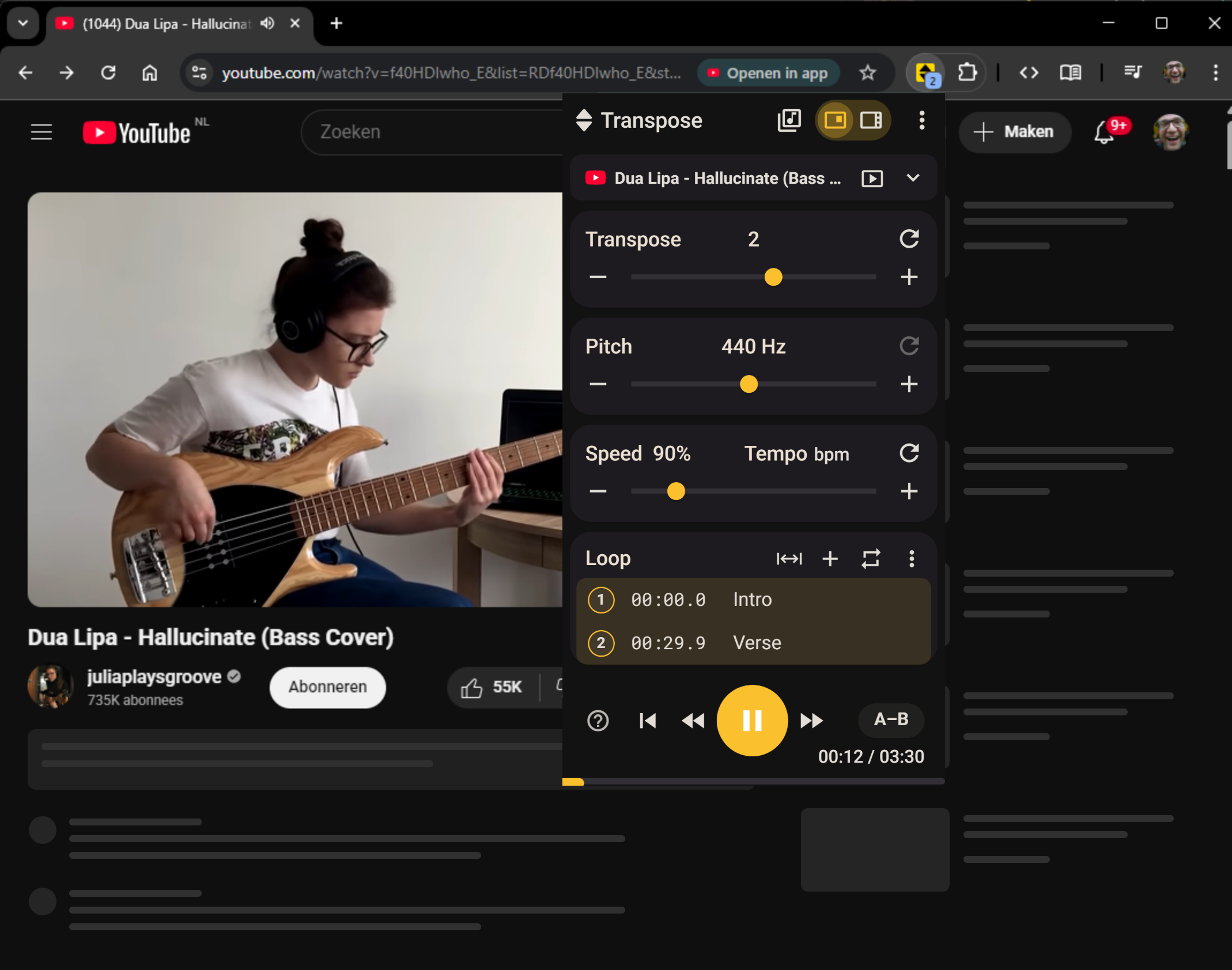
Compact
Side
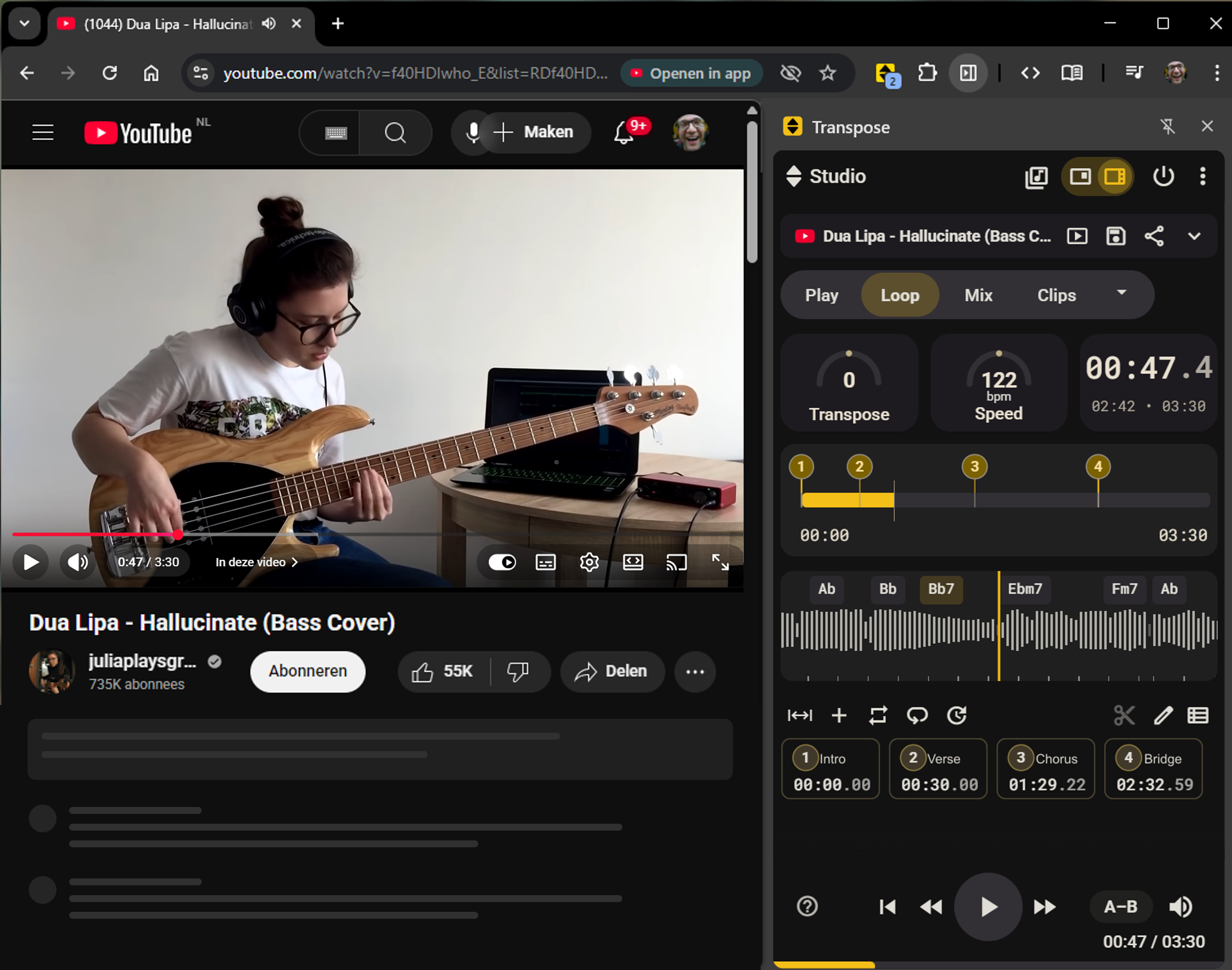
Compact and Side are two views of Transpose. Use Compact as a small window or keep Side open beside the website.
 YouTube Pitch Shifter
  Spotify Speed Changer
  SoundCloud Looper
  Apple Music Transposer
  Deezer Practice Tools
  Vimeo
Vimeo  Tidal
Tidal  Local MP3/MP4 Playback
 4.5/5 from 1.1K+ ratings
“Great tool for practising, ear training and transcribing solos.”
Chrome Web Store review
“Absolutely essential for all musicians who want to cover live songs or learn from tutorials.”
Chrome Web Store review
“This is amazing for my clients and has become an invaluable coaching tool. You are helping make hundreds of better singers a year.”
Chrome Web Store review
“Incredibly useful for slowing down YouTube videos while learning songs. This has helped me become a significantly better guitarist.”
Chrome Web Store review
Studio for three songs is included. Want to use Studio for more songs? Choose a subscription or Lifetime.
Free for all your songs.
Studio for unlimited songs, billed monthly.
Studio for unlimited songs, billed annually.
≈ /month
Save 38%
Studio for unlimited songs. Pay once.
Checkout could not be opened. Check your connection and try again.
Prices include VAT where applicable. Any other taxes are calculated and shown before payment.
An optional upgrade with a premium low-latency pitch shifter, formant control, vocal reducer, advanced looping & clips, side panel, and cloud save.
Yes. Pitch & speed control, unlimited loops, and more — free with no sign-in required. No ads.
We believe that making music is for everyone. That's why the core of Transpose is a powerful, free tool for your daily practice sessions. It is our contribution to the music community, to help as many people as possible grow and enjoy playing.
Install the extension, open a video page, then open Transpose from your browser toolbar.
If you see a 'No media' message, have no sound, or get a connection error, try refreshing the page, starting playback first, and reopening the extension. For step-by-step fixes, see the link below.
Yes — every Pro plan includes a 7-day trial. No card required and stops automatically.
Manage renewals, payment method, and invoices in the Customer Portal.
Install Transpose and start practising.